Robinhood: Trading & Investing
- 4.2
- Rating
- 10.00M
- Installs
- Free
- Price

 Analysis by App-foxy
I approached Robinhood as a finance app first and as a daily decision-making tool second. Its focus is investing rather than budgeting: the service brings stocks, options, crypto and Bitcoin activity into one mobile experience. That combination can feel convenient when I want to check several parts of my portfolio without moving between apps, but it also means the interface deserves more careful attention than a simple price-checking tool. Financial information has consequences, and an attractive screen is not enough if the important details are difficult to read or easy to misunderstand.
Robinhood is developed by Robinhood and is free to download, with an Everyone content rating. It belongs to the finance category and has built a substantial audience, with over ten million installs. Its average rating is 4.1 from around 524 thousand ratings and roughly 264 thousand written reviews. Those figures suggest a widely used product with a generally positive reception, although popularity should not be confused with suitability for every investor.
How clearly the app supports different users
I find that Robinhood’s clearest strength is bringing several kinds of self-directed investing into a mobile setting without making every visit feel like a trip through a professional trading terminal. That can help a curious beginner browse with less friction, while an experienced user may value keeping different interests together. The useful distinction is between making the interface approachable and making each investment decision simple; the next section looks at how that difference plays out for people with different needs.
You May Also Like

 Blood Strike: 2.5 Anniversary
Blood Strike’s Loadouts Turn Every Drop Into a Tactical Gamble
A close look at Blood Strike’s custom loadouts: how fast access to signature weapons reshapes its battle royale rhythm, rewards preparation, and narrows the gap between fights.

 Pandora - Music & Podcasts
Pandora’s Music Is Easy to Start, but Harder to Recover
Pandora’s strength is its low-effort path from a seed to a station. Its weak spot is how much confidence it asks you to place in connection, setup, and quiet recovery.

 8 Ball Pool
 Is Built on Rivalries, Rematches, and Routine
A close look at the rivalries, rematches, shared routines, and unanswered safety questions that turn a quick pool match into a persistent mobile community.

 Samsung Music
’s Quiet Strength Is Playing What You Already Own
Its reach comes less from spectacle than from dependable access to a personal library. That simplicity is both the app’s strongest retention engine and its ceiling.

 AccuWeather: Weather Radar
AccuWeather Review: A Quick, Clear Forecast for Everyday Decisions
For everyday plans, the best forecast is the one you can understand quickly. AccuWeather makes rain timing, radar, and local conditions easy to act on, with a few trade-offs.

 Hill Climb Racing
Why Hill Climb Racing Still Turns Crashes Into One More Run
A tiny car, a bumpy hill and one more upgrade: Hill Climb Racing keeps resurfacing because its simple chaos makes every near-miss feel personal.
More From Our News Desk



Readability and navigation in everyday use
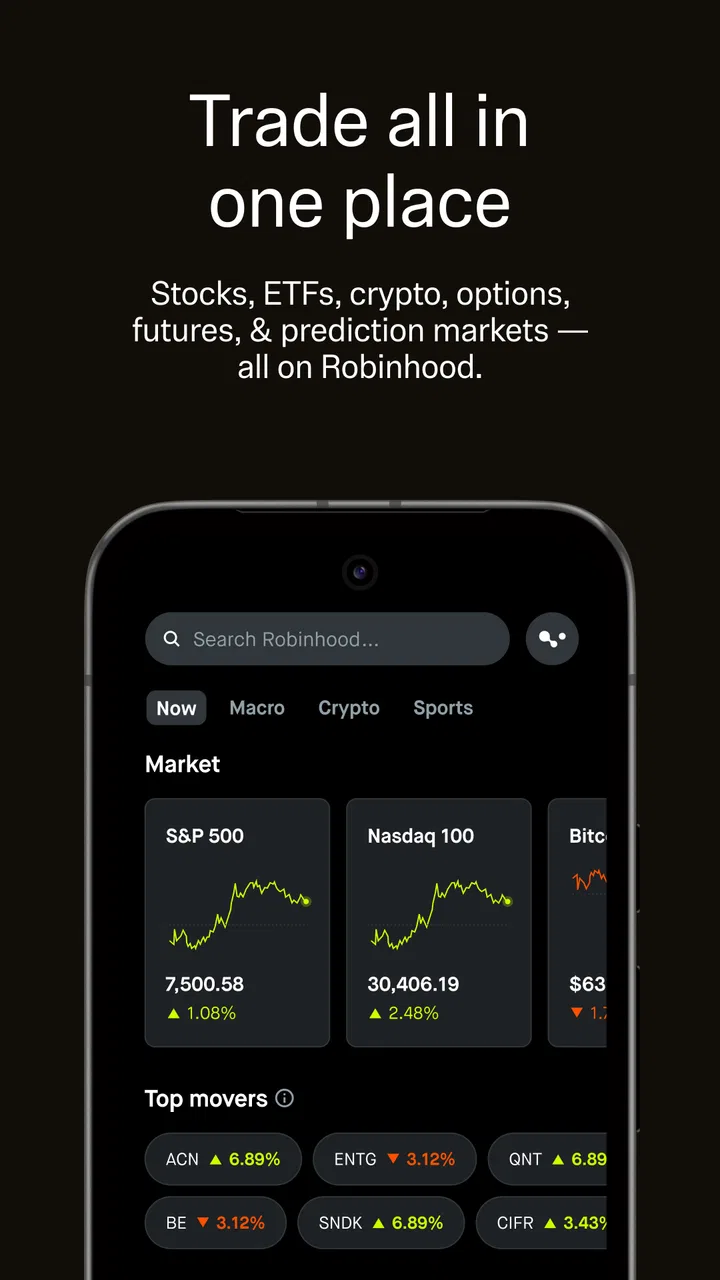
My first impression is that Robinhood tries to keep the path from market discovery to an order relatively short. That is useful for someone who wants to open the app, review a watchlist and understand what has changed without working through a dense professional trading terminal. The design is more approachable than many traditional brokerage platforms, especially for a person who finds financial dashboards intimidating.
That simplicity has a trade-off. A compact presentation can make investing feel easier than it really is. The app may place attention on prices, charts and action buttons, while the user still needs to slow down and understand what an order, an option position or a crypto transaction actually means. I would not treat a clean layout as a substitute for financial knowledge. For a beginner, the best workflow is to use the app for observation first: follow instruments, compare movements and read every order screen before committing money.
I also found that navigation makes more sense when I decide what task I am performing before opening it. Checking a long-term holding, exploring a stock and managing a short-lived trade are different activities, even if they appear in the same account. Separating those intentions reduces the chance of tapping through a familiar-looking path too quickly. This is one of the most useful habits with a mobile investing app: do not let a fast interface turn a moment of curiosity into an impulsive transaction.
For users who read comfortably on a phone and prefer a focused screen, the uncluttered approach is a genuine strength. For users who need large text, stronger visual separation or more room to compare several values at once, the experience may be less comfortable. I would adjust the phone’s own display and text settings before judging the app, then check whether important labels, chart details and confirmation information remain easy to distinguish. A finance app should be judged by the clarity of its decisions, not just by how polished its home screen looks.
Motor and sensory considerations
Touch-first investing is convenient, but it can be demanding for people with tremors, limited dexterity or difficulty maintaining precise contact with small controls. A user may need to move through watchlists, charts and order details before reaching a final confirmation. That makes deliberate pacing important. I would avoid placing trades while walking, commuting or handling anything else, because a small tap in the wrong place has more significance in a brokerage app than in an ordinary social or entertainment app.
People with visual sensitivities may also want to consider the effect of charts, movement and changing market values. Financial screens can be visually busy even when the overall design looks minimal. I find it easier to review one instrument at a time, pause on the relevant information and avoid making decisions based solely on color changes. Green and red are quick visual signals, but they are not a complete explanation of what is happening. Users who do not distinguish those colors easily should rely on the accompanying numbers and labels rather than the color treatment alone.
For users who depend on screen readers or other assistive technologies, the practical question is whether each interactive element is announced in a meaningful order and whether chart information is understandable without relying only on visual presentation. I would test the exact tasks that matter most: finding a holding, opening its details, reviewing an order and reaching the last confirmation step. Accessibility is not just the ability to launch an app; it is the ability to complete a financially important task without assistance or guesswork.
Audio is not central to the basic investing workflow, which is helpful in quiet or shared environments. At the same time, a person with hearing-related needs should not assume that every alert or status change will be equally clear through every device setting. I would keep device notifications configured in a way that is noticeable but not disruptive, and I would still open the app to verify account information rather than relying on a brief alert as the complete explanation.
Situational access beyond permanent disabilities
Robinhood can be useful in situations where attention is limited, such as checking a portfolio during a short break. That convenience is also a risk. A user who is tired, stressed or distracted may skim a screen and act on a headline number without considering the wider position. I prefer using the app for quick monitoring in those moments and reserving actual decisions for a calmer setting with enough time to read the details.
One realistic example is a commuter who receives a market alert while standing on a crowded train. Opening the app to see what moved is reasonable; trying to trade while holding onto a rail, dealing with poor reception and watching the next station is not a workflow I would recommend. The touch interface may be accessible in theory, but the context makes mistakes more likely. Situational accessibility includes lighting, noise, posture, connectivity and concentration, not only a user’s usual device settings.
The same applies to people using an older phone or a smaller display. Robinhood supports Android devices from version 7.0 onward, which gives it a broad operating-system reach. Even so, a supported system does not guarantee that every screen will feel equally comfortable on every handset. A smaller display can make charts and confirmation text harder to inspect, while an older device may make switching between screens feel less fluid. I would use a stable connection and a device that allows careful reading for any transaction involving options or crypto.
For someone who alternates between phone use and a larger screen, the mobile app is best viewed as a companion for monitoring and straightforward account actions rather than a complete replacement for every research habit. I like having a portfolio available in my pocket, but I would rather study complicated information on a larger display when possible. That is not a criticism unique to Robinhood; it is a limitation of compressing financial research into a small touchscreen.
Where the experience still creates barriers
The largest barrier is not necessarily a button or a font. It is the gap between a friendly interface and the complexity of the products inside it. Stocks, options and crypto do not carry the same risks, time horizons or terminology. A newcomer may understand how to tap through an order while still misunderstanding volatility, expiration, liquidity or the effect of a fast price change. Robinhood’s accessibility to beginners therefore has a contradiction: it lowers the mechanical barrier to participation, but it cannot remove the conceptual barrier to responsible investing.
Options are a particularly important example. Their presence may appeal to experienced traders, yet they are not simply a faster version of buying a share. I would not use the app to explore options for the first time during a market rush. A better approach is to learn the vocabulary separately, write down the intended outcome and review the complete order information slowly. If that process feels confusing, a platform with more prominent educational guidance or a professional adviser may be a better fit.
Crypto creates a similar issue for users who want everything in one place. Convenience can encourage a false sense that stocks, options and digital assets are interchangeable. They are not. I appreciate the ability to view different asset types within one finance app, but I would keep separate notes for why I own each one, what level of loss I can tolerate and how often I intend to review it. That small organizational step makes the unified interface less likely to blur important differences.
There is also an emotional barrier. A phone makes market movement constantly available, and frequent checking can turn a long-term plan into a series of reactions. I would reduce unnecessary checking by setting a personal review schedule and using a watchlist as a research area rather than treating every price change as a command to act. The app is more useful when it supports a plan than when it becomes the plan.
Users who need highly detailed research, advanced chart analysis or a desktop-style workspace may find a traditional brokerage platform more suitable. A conventional alternative can feel slower and less welcoming, but it may provide a broader environment for comparing information before placing a trade. Conversely, someone who only wants automatic saving, spending categories or a simple retirement plan may be better served by a dedicated budgeting or long-term investing service. Robinhood is strongest when the user specifically wants self-directed access to the asset types it presents.
Practical ways to make the app easier to use
I recommend creating a short personal checklist before using Robinhood for a real transaction. I would confirm the asset, the intended amount, the order type, the time horizon and the reason for the decision. This is more than a financial precaution; it is an accessibility aid. A written sequence reduces memory pressure, helps users who are easily distracted and makes it easier to notice when the screen does not match the original intention.
Another useful technique is to separate review from action. I might open the app to inspect a holding, close it and return later if I decide a change is necessary. That extra pause is valuable for users with attention difficulties, anxiety or limited motor control because it removes the pressure to complete everything in one continuous gesture sequence. It also works as protection against acting on an incomplete view of the situation.
I would also test the app with the phone’s accessibility settings before relying on it. Increase text size gradually, try the preferred contrast or display mode and use the device’s screen reader if that is part of your normal setup. Then perform the entire workflow rather than merely browsing the opening screen. If a chart, button or confirmation message becomes unclear, that is a meaningful obstacle, and the user should choose a safer workflow instead of assuming the problem will disappear during a busy market session.
For people sharing a home or working in public, privacy is another practical consideration. A portfolio screen can reveal sensitive financial information at a glance. I would avoid opening account details where others can easily see the display and would not rely on a notification preview to communicate anything important. This is especially relevant for users with reduced vision who may need larger on-screen content, since enlarged information can also be more visible to people nearby.
Version, audience and overall fit
The current version is 2026.9.3, and the app has been available since August 12, 2015. That long presence gives Robinhood the feel of an established mobile finance product rather than a new experiment. Still, updates can change layouts and workflows, so I would expect a returning user to spend a little time rechecking where key information appears after an update. Familiarity is helpful, but it should not encourage automatic tapping through a changed order screen.
Because it is free and rated for Everyone, Robinhood is easy to consider for a broad audience. That does not mean every age group or experience level should use every part of it in the same way. A first-time investor may benefit from the approachable presentation while needing outside education and strong personal limits. An experienced self-directed investor may value the convenience of combining stocks, options and crypto, but still prefer another platform for deeper analysis or a larger workspace.
I would skip it if my main goal were hands-off financial planning, detailed household budgeting or a highly guided investing experience. I would also hesitate if I knew that rapid price movement would make me check the phone compulsively. In those cases, a less action-oriented service could better support my needs. The app is not a universal answer simply because it puts several investment choices together.
For the right user, however, Robinhood offers a clear entry point into self-directed investing and a convenient way to keep different market interests in one mobile account. Its strongest inclusive quality is the reduction of unnecessary complexity in the basic browsing experience. Its weakest point is that financial complexity remains underneath that approachable surface, and users with visual, motor, cognitive or situational barriers may need extra preparation to navigate it safely.
My final view is positive but measured. I would recommend Robinhood to someone who wants mobile access to stocks, options, Bitcoin and other crypto activity, understands that convenience does not equal guidance and is willing to slow down before acting. I would recommend testing the complete workflow with personal accessibility settings first, especially if reading charts, selecting small controls or interpreting color-coded information is difficult. The best way to use Robinhood is as a clear tool for carrying out a considered plan, not as a reason to make faster decisions.
FAQs for Robinhood: Trading & Investing
01What is Robinhood and what features does it offer?
Robinhood is a commission-free trading and investing app that allows users to buy and sell stocks, ETFs, options, and cryptocurrencies. It offers features like real-time market data, customizable watchlists, and educational resources. Robinhood also provides a premium subscription, Robinhood Gold, for access to research reports and margin trading.
02Is Robinhood safe to use for trading and investing?
Robinhood is regulated by the U.S. Securities and Exchange Commission (SEC) and is a member of the Financial Industry Regulatory Authority (FINRA). It offers standard security measures like two-factor authentication. However, as with any investment platform, it's essential to understand the risks involved in trading, especially with volatile assets like cryptocurrencies.
03Are there any fees associated with using Robinhood?
Robinhood offers commission-free trading, meaning there are no fees for buying or selling stocks, ETFs, and options. However, users should be aware of potential fees for transferring funds out of Robinhood, as well as regulatory fees on sell orders. Robinhood Gold, the platform’s premium service, also comes with a monthly fee.
04What types of accounts can I open with Robinhood?
Robinhood primarily offers individual brokerage accounts for trading stocks, ETFs, options, and cryptocurrencies. It does not currently support joint accounts, custodial accounts, or retirement accounts like IRAs. Users interested in margin trading can upgrade to a Robinhood Gold account, which requires a minimum balance.
05How does Robinhood handle customer support and service?
Robinhood provides customer support through its app and website, offering help articles and a contact form for issues not resolved in their FAQs. While they do not offer phone support, they have improved their response times and introduced in-app chat for more immediate assistance. It’s advisable to explore their help center for quick solutions.
Pros
- User-friendly interface for beginners.
- No commission fees on trades.
- Access to a wide range of stocks.
- Real-time market data is available.
- Fractional shares enable small investments.
Cons
- Limited research and analysis tools.
- Customer support can be slow.
- Occasional app stability issues.
- Cryptocurrency trading is limited.
- No retirement accounts offered.

Robinhood: Trading & Investing
Gallery